The easiest way to mount a GoPro to a paddle board is a curved adhesive mount stuck to a clean, smooth spot on the nose, facing back at you, with a tether clipped to a D-ring in case it comes off. For other angles, clamp the camera to your paddle shaft, or wear it on a head strap, chest harness or bite mount.
Quick answer
| Mount | Best for | Watch out for |
|---|---|---|
| Adhesive mount on the board | Shots of you paddling, and the view ahead | Needs a smooth, clean surface; always tether it |
| Paddle shaft clamp | Dramatic water-level and underwater shots | Adds weight to your paddle; clamp size must fit your shaft |
| Head strap | Your point of view, hands free | Wobbly footage if you look around a lot |
| Chest harness | Steadier point of view with your arms and paddle in shot | Can clash with a life jacket |
| Bite mount | Very immersive first-person shots | Can’t talk; uncomfortable for long |
| Floating hand grip | Selfies and handheld shots | Not hands-free |
Whatever you use: tether it or float it. GoPros don’t float, so a dropped camera sinks.
Mounting a GoPro on the board
Adhesive mount on the deck
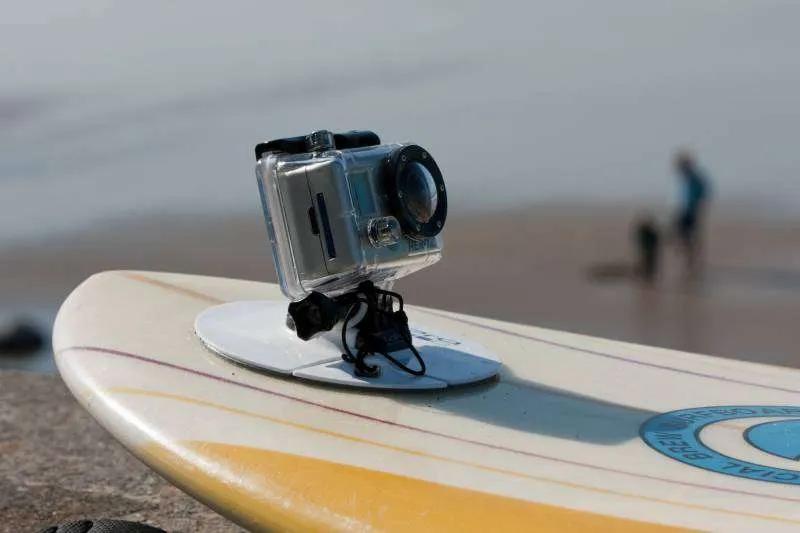
This is how most people film from the board. GoPro’s adhesive mounts stick to curved or flat surfaces, and GoPro says to apply them to a clean, smooth, non-porous, non-textured surface and leave them at room temperature for at least 24 hours before use.
That last part matters: don’t stick a mount onto the textured deck pad. It won’t hold. Use a smooth area of the board, usually the nose in front of the deck pad.
How to fit one:
- Pick the spot. The nose facing back captures you paddling. The nose facing forward captures the view. The tail facing forward gets you and the scenery in one shot.
- Clean the area with soapy water, rinse and dry it, then wipe it with rubbing alcohol if your board’s maker allows it.
- Peel the backing, press the mount on firmly for 30 seconds or so, and leave it for 24 hours before you paddle.
- Clip a leash or tether from the camera to a D-ring or the front bungees.
On an inflatable board, inflate it to full pressure before you stick the mount on so the surface is taut. Tower Paddle Boards says adhesive mounts work on its inflatables but aren’t the most secure option. It recommends also tethering the camera to a D-ring as a backup. Adhesive on PVC can lose its grip over time, so check it before every paddle.
Some inflatable boards come with a built-in action camera mount on the nose. If yours does, use it.
Suction cup mount
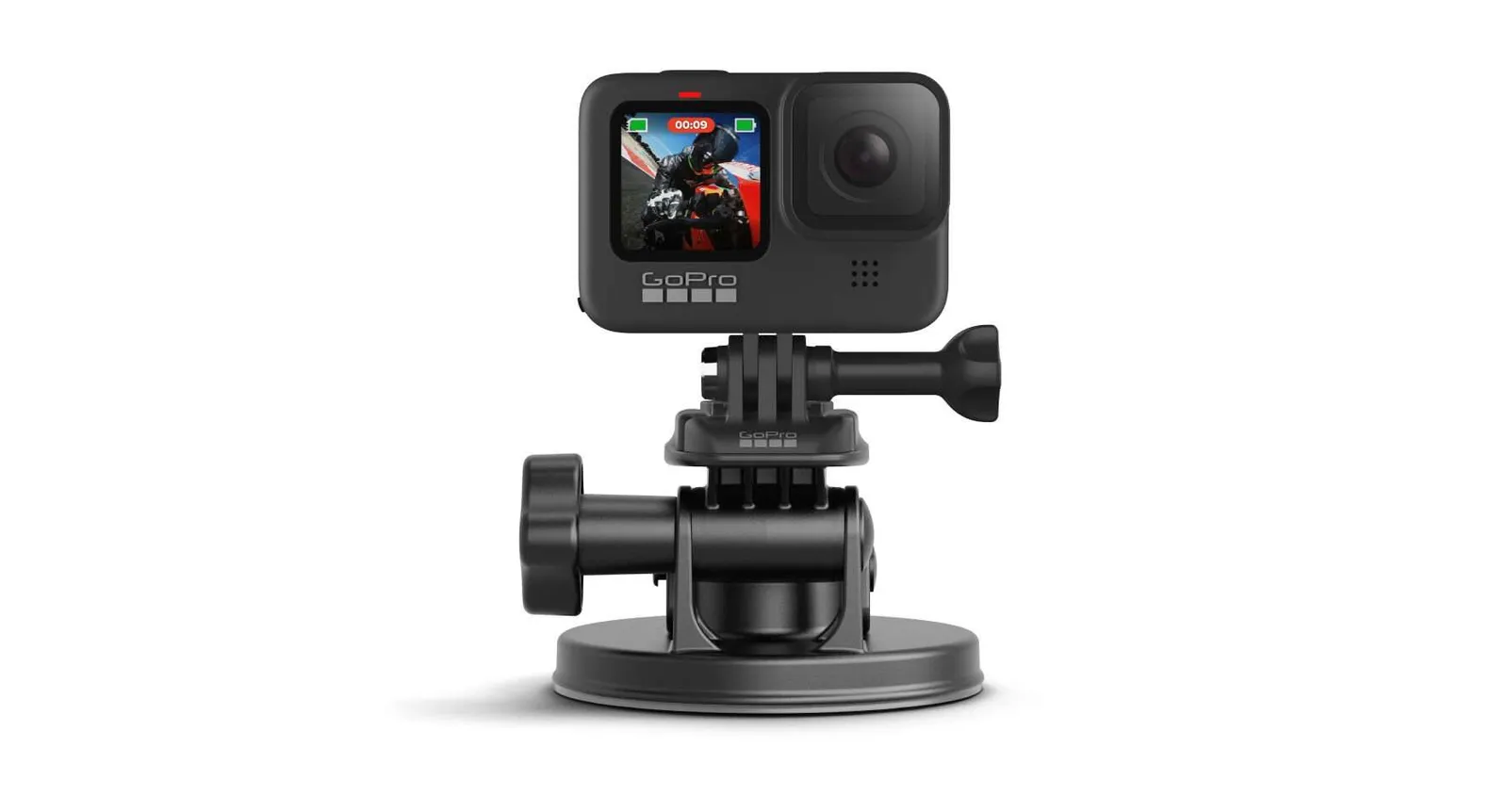
GoPro’s suction cup is made for cars and boats. It can work on a very smooth, glossy hard board on flat water, but it won’t hold on a deck pad or the slightly textured PVC of most inflatables. If you try one, always use a tether.
Bungee and D-ring mounts
If you don’t want anything stuck to your board, a mount that clamps or straps onto the front bungee cords or a D-ring is an option. These are less steady than adhesive mounts, since the bungees flex, but they’re easy to remove.
Mounting a GoPro on the paddle
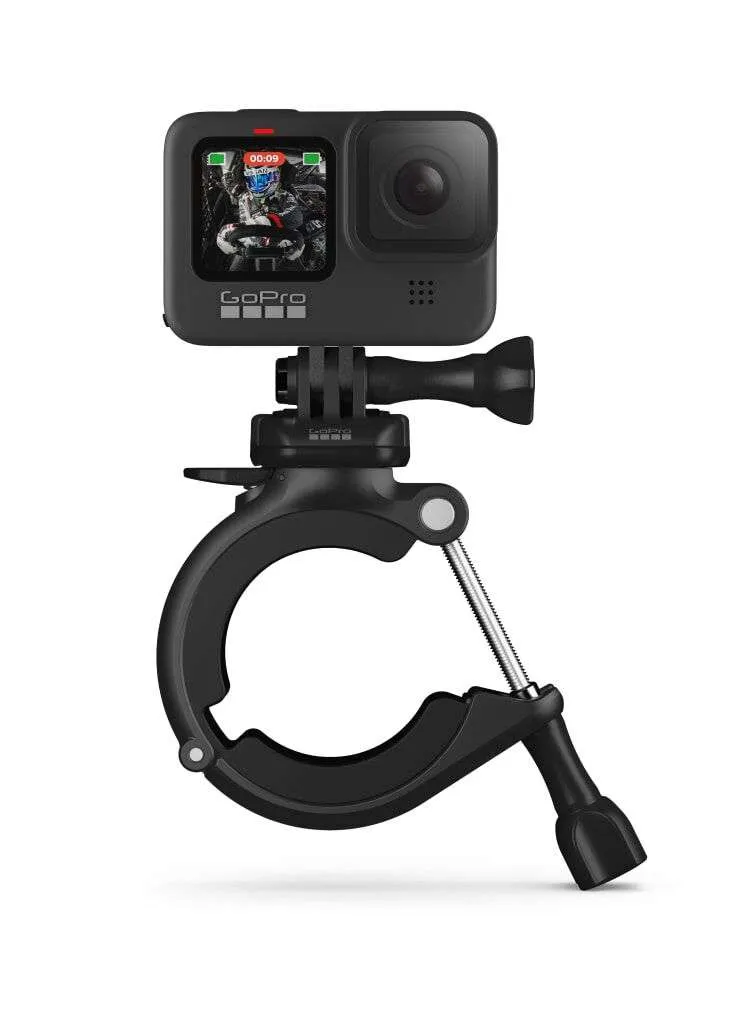
Clamping the camera to the paddle shaft gives you shots that dip in and out of the water with every stroke, or a selfie view looking back up the shaft at you.
Get the right clamp size. GoPro’s Large Tube Mount is designed for tubes 1.4 to 2.5 inches across, which is thicker than most SUP paddle shafts. GoPro’s Handlebar / Seatpost / Pole Mount covers smaller tubes (listed by retailers at 0.35 to 1.4 inches), which suits most paddle shafts. Measure your shaft before you buy.
Tips:
- Mount it low on the shaft, just above the blade, for underwater shots, or higher up facing you for a selfie angle.
- It makes your paddle heavier and changes the balance, so try short clips.
- Make sure the clamp can’t rotate. Add a strip of rubber or tape under it if it slips.
- Many SUP paddles float, but not always with a camera attached. Use a floating grip or Floaty-style case, or test it in shallow water first.
Mounting a GoPro on your body
Head strap
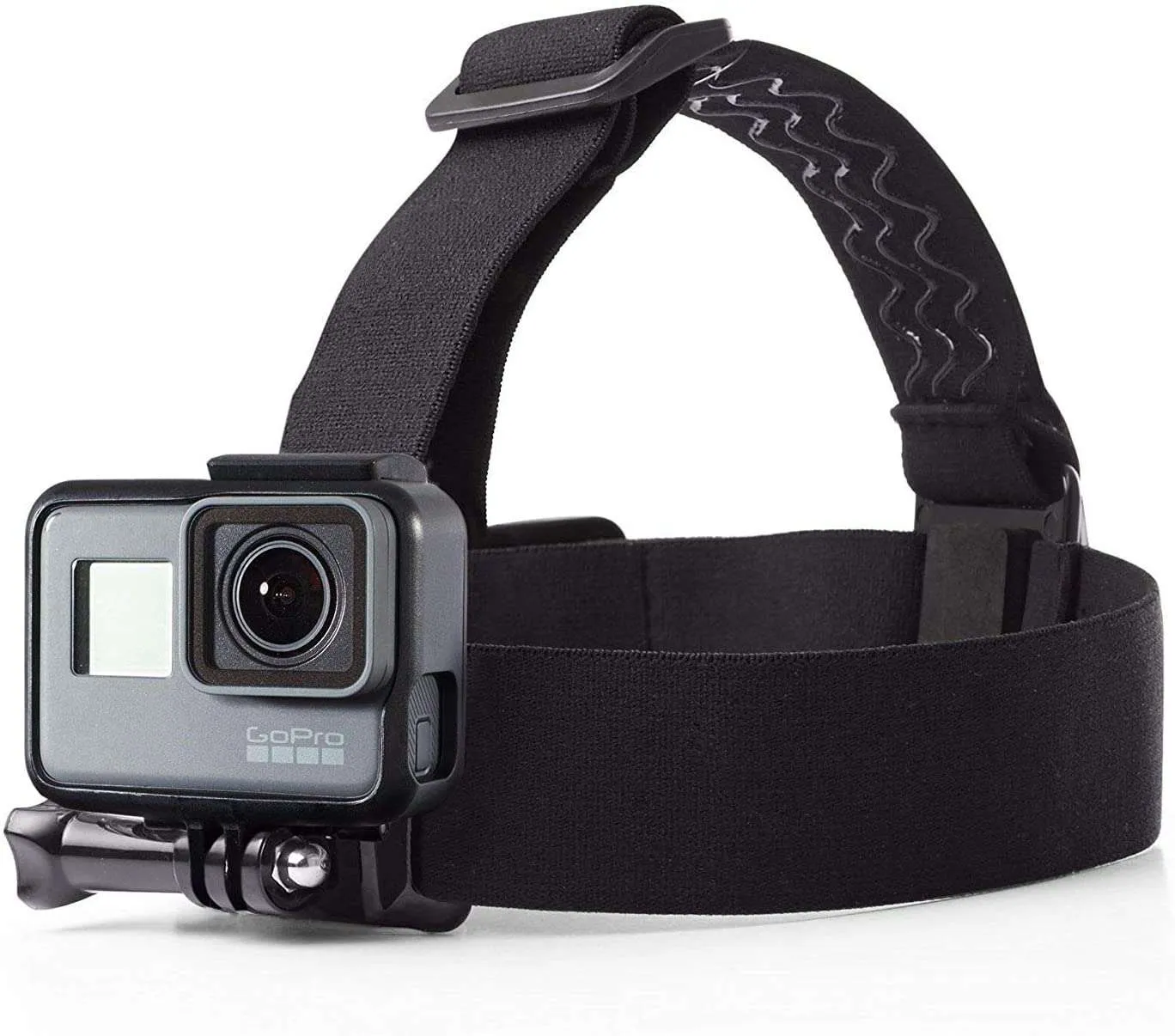
A head strap shows what you see, and leaves your hands free for the paddle. It’s simple and fits over a cap. The downside is that every glance moves the camera, so the footage can be jumpy. Turn your head slowly and deliberately.
Chest mount
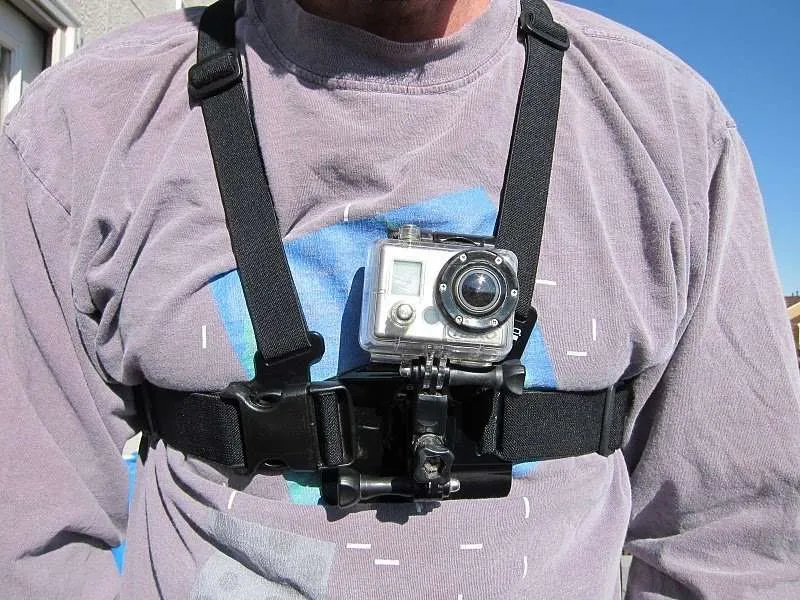
A chest harness sits lower than your eyes, so you get your hands and the paddle in the shot and steadier footage. It’s comfortable for long sessions. Check that it fits with your life jacket. Some paddlers mount the camera on a buckle attached to the life jacket instead.
Bite mount
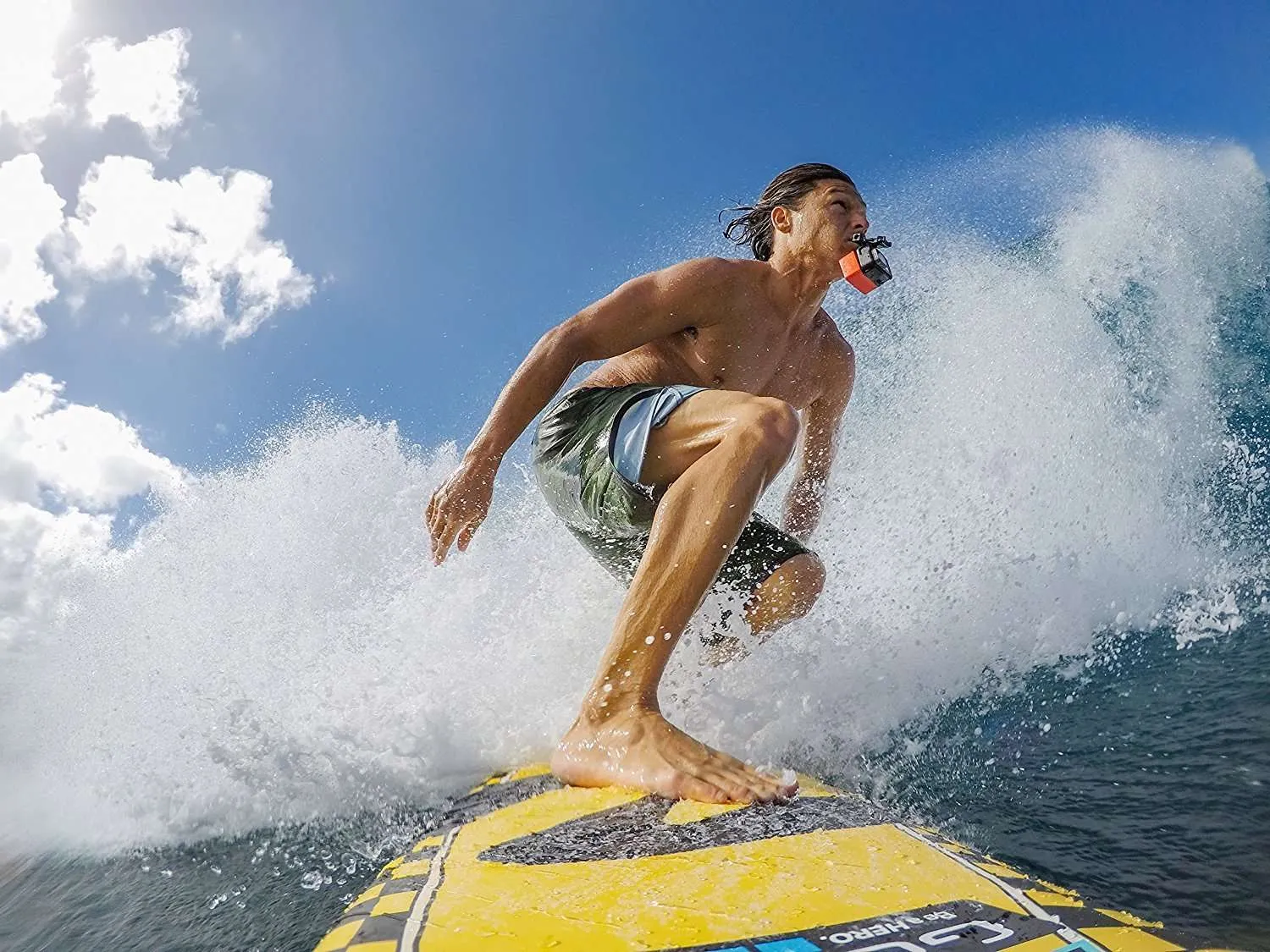
You hold a mouthpiece between your teeth, with the camera just in front of your face. It gives a very close, immersive point of view, popular with surfers. But you can’t talk, it gets tiring, and if you fall the camera is right by your face. It’s better for short SUP surf sessions than for a long, chatty paddle.
Wrist mount and floating grip
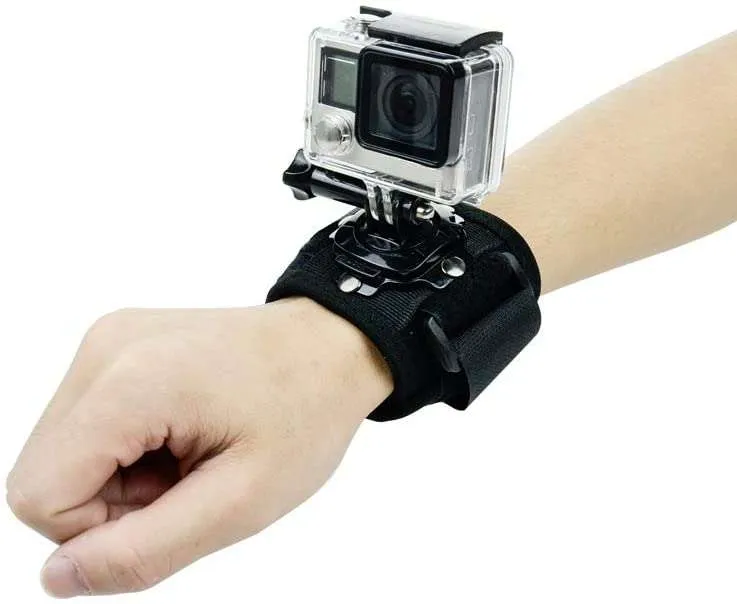
A wrist strap or floating hand grip is best for selfies and quick clips when you stop paddling. It’s not practical while paddling, since you need both hands on the paddle. A floating grip, such as GoPro’s The Handler, has the bonus of keeping the camera on the surface if you drop it.
Keep your GoPro safe on the water
- Tether or float everything. A leash to the board, or a float that keeps the camera on the surface.
- Check the waterproof rating. GoPro’s recent HERO cameras, such as the HERO13 Black, are waterproof to 33 feet without a case, which is plenty for paddling. Older models may need a housing.
- Close all doors properly. Make sure the battery door is latched and the seal is clean before you go out.
- Rinse after salt water and dry it before you open the battery door.
- Stop fogging. Anti-fog inserts help in cold water or on humid days when using a housing.
- Carry spares in a dry bag, since cold water drains batteries faster. See the best dry bags for paddle boarding.
Tips for better SUP footage
- Pick calm conditions and good light. Early morning or late afternoon light looks best, and calm water gives smoother footage. See what are the best conditions for paddle boarding.
- Use a wide field of view for board-mounted shots, so you and the scenery are both in frame.
- Turn on stabilization and, for board mounts, consider horizon leveling.
- Shoot higher frame rates (60 fps or more) if you want to slow down falls and waves.
- Change angles. A few clips from the nose, a few from the paddle and a few from your head make a far more interesting video than one long shot.
Need more ideas for kitting out your board? Our best inflatable paddle board accessories roundup covers mounts, bags and more.
FAQ
Where is the best place to mount a GoPro on a paddle board?
On the nose, facing back at you. It captures you paddling with the water and scenery behind you. Use a smooth area in front of the deck pad, and tether the camera.
Can you put a GoPro adhesive mount on an inflatable paddle board?
Yes, on a clean, smooth area with the board fully inflated. It isn’t as secure as on a hard board, so tether the camera to a D-ring and check the mount before each paddle.
Does a GoPro float?
No. A GoPro on its own sinks. Use a floating case or hand grip, or tether it to your board.
How do I remove a GoPro adhesive mount?
GoPro says to warm the adhesive (a hair dryer works) and peel the mount off slowly. Then clean off any residue gently, without harsh solvents that could damage the board.